
If you run a Swiss company, you pay QR-bills. You probably issue them too.
And if you're still typing QR-bill details into a payment screen by hand, you're doing data entry for free. That's where the mistakes live: a wrong digit in the reference, a QR-IBAN paired with the wrong reference type, a payment that comes back three days later.
This guide covers what a QR-bill is, the few rules that actually matter, the address change that caught many companies out, and how to handle QR-bills with almost no manual work.
What the QR-bill is
The QR-bill is the standard for invoicing with a payment slip in Switzerland and Liechtenstein. It replaced the old orange and red payment slips (ISR/IS), which were retired in 2022.
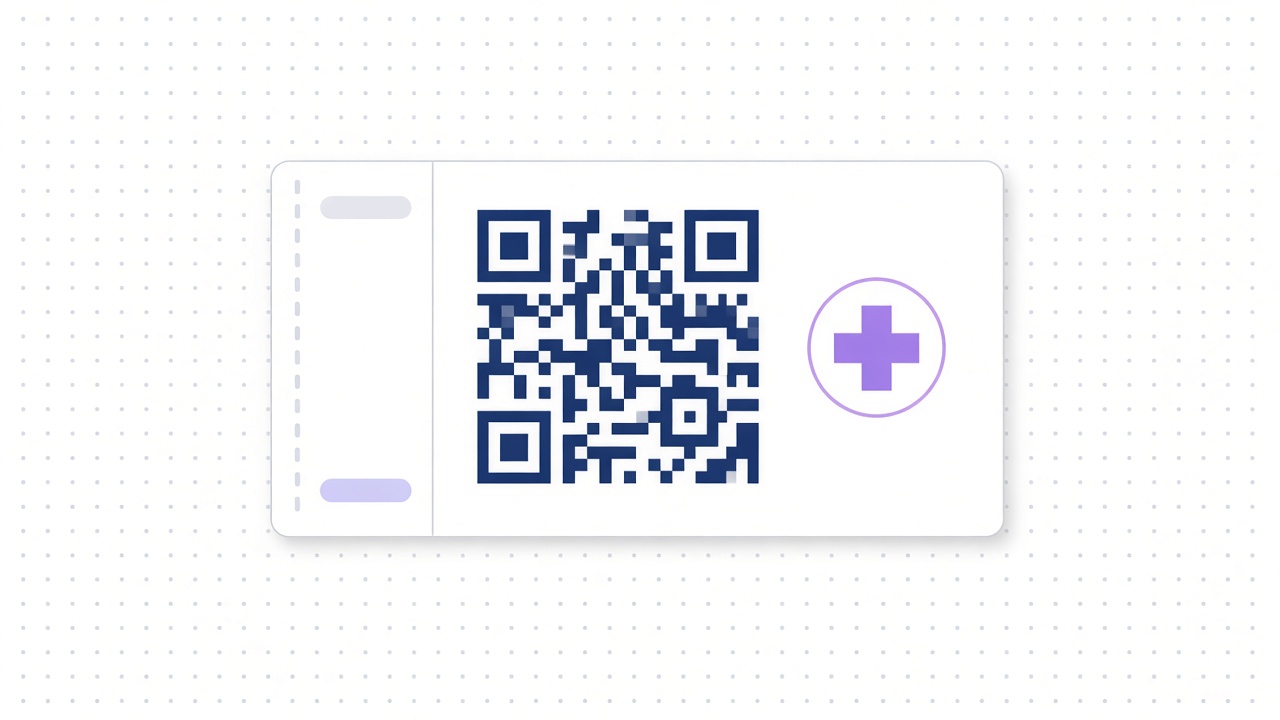
Every QR-bill has a payment part containing a Swiss QR code. You can spot it by the Swiss cross in the middle. The code holds everything needed to pay:
- the creditor's account (IBAN or QR-IBAN),
- the creditor's name and address,
- the amount and currency (CHF or EUR),
- a payment reference (optional in some cases),
- an optional message and billing information.
The rules are defined in the Swiss Implementation Guidelines for the QR-bill, published by SIX. The guidelines are updated from time to time, so check the current version before you change your invoicing software.
The one rule that causes most rejections: account type + reference type
There are two kinds of account number on a QR-bill, and each one only works with certain references.
QR-IBAN + QR reference
- A QR-IBAN looks like a normal Swiss IBAN, but positions 5–9 (the institution ID) fall in a dedicated range (30000–31999).
- It must be used with a QR reference: a 27-digit numeric reference, structured like the old ISR reference.
- It's popular with companies that reconcile many incoming payments automatically, because the reference maps straight to an invoice.
IBAN + creditor reference (or no reference)
- A normal IBAN can be used with a Creditor Reference (SCOR, ISO 11649), which starts with "RF", or with no reference at all.
- It cannot be used with a QR reference.
- QR-IBAN — Allowed reference: QR reference (27 digits); Not allowed: SCOR, none
- IBAN — Allowed reference: SCOR ("RF…") or none; Not allowed: QR reference
If your invoicing tool lets you mix these, it's going to produce bills that get rejected.
The address change you can't ignore
Since 21 November 2025, the QR code on new QR-bills may only contain structured addresses (address type "S"). Name, street, building number, postal code, town and country each go in their own field. The old combined address type ("K"), where street and town were free-text lines, is no longer allowed on new bills.
According to SIX and published guidance from Swiss banks, bills with old-style combined addresses could only be paid during a transition period, which ended on 30 September 2026.
What this means for you right now:
- If you issue QR-bills, check your invoicing software only produces structured addresses, and that your customer master data is complete (street, number, postal code, town, country).
- If you sent long-running QR-bills (rent, leasing, instalments) before the change, your customers may need new ones.
- If you pay by standing order or saved templates, check the creditor addresses are structured. Some providers will start rejecting standing orders with old-style addresses soon, so check your standing orders now.
How to issue a QR-bill (the right way)
Don't build QR codes by hand. Use your accounting or invoicing software. Most Swiss tools generate QR-bills natively.
A clean setup looks like this:
- Choose your account type. QR-IBAN if you want automatic matching on a high volume of incoming payments; a normal IBAN with an RF reference is fine for many small companies.
- Generate a unique reference per invoice. This is what makes reconciliation automatic.
- Use structured addresses for both you and your customer.
- Pick the currency. CHF or EUR are the only options on a QR-bill.
- Send it as a PDF (with the payment part included), or print it with the payment part on a perforated section if you send paper.
- Test with a scan before sending a new template to customers: scan it with a banking app and check every field reads correctly.
Hypothetical example: a 5-person agency sends 30 invoices a month. With a unique reference on every QR-bill, incoming payments match to invoices automatically. Without one, someone spends an afternoon each month matching "Zahlung Rechnung März" to the right invoice.
How to pay a QR-bill (without typing)
Paying should take seconds:
- Scan the QR code with your provider's app, or
- Upload or forward the PDF and let software read it.
Then check three things before approving:
- Is the creditor who you expect? Name and IBAN.
- Is the amount right? Some QR-bills leave the amount blank, so fill it in carefully.
- Is this a duplicate? The same bill sent by post and by email is a common way to pay twice.
Fraud note: a QR code is only as trustworthy as the document it's printed on. If a familiar supplier suddenly shows a new IBAN, confirm it by phone using a number you already have.
Where QR-bills fit in your payment stack
QR-bills cover CHF and EUR bills within Switzerland and Liechtenstein. Euro invoices from EU suppliers usually arrive as normal invoices with an IBAN instead. For those, read How to Pay EU Suppliers from a Swiss GmbH (SEPA vs SWIFT).
If you receive many QR-bills, the bigger win is a proper approval flow, where bills arrive in one queue and someone approves them, rather than in five inboxes. See Forward a Bill, Click Approve: Accounts Payable on Autopilot.
5 common QR-bill mistakes
- QR-IBAN with an RF reference (or a normal IBAN with a QR reference). Rejected.
- Old combined addresses in the QR code after the 2025 change.
- Reusing the same reference for different invoices. That breaks automatic matching.
- Retyping instead of scanning. One wrong digit and the payment bounces.
- Paying a bill twice because it came by post and email.
Bottom line
The QR-bill already did the hard part. Every field you need is in the code.
Issue it with structured addresses and unique references. Pay it by scanning, not typing. That's 90% of the job.
FAQ
What's the difference between a QR-IBAN and an IBAN?
A QR-IBAN is a special IBAN that must be used with a 27-digit QR reference. A normal IBAN can be used with a Creditor Reference (starting with "RF") or no reference.
Which currencies can a QR-bill be in?
CHF and EUR.
Can I still pay QR-bills with the old combined address format?
According to SIX and Swiss bank guidance, the transition period for paying bills with combined (type "K") addresses ended on 30 September 2026. Ask the creditor for a new QR-bill.
Do I need special software to create QR-bills?
Most Swiss accounting and invoicing tools generate compliant QR-bills. Make sure yours outputs structured addresses and the current guideline version.
Can I pay a QR-bill from a non-bank business account?
Yes, if your provider supports Swiss QR payments. Firma does.
Pay QR-bills by forwarding them
With Firma, you can email a QR-bill or text a photo of it. It's read, categorized and held until you approve with one click. Then it's paid. Swiss QR and SIC payments sit next to SEPA, SWIFT and stablecoins on one balance, and the fee is shown before you send.
Getting set up? Read How to Open a Swiss Business Account in Days, Not Weeks. Also worth a look: 7 Money Mistakes Swiss Founders Make in Year One, The FX Fee Your Bank Never Shows You and How a Swiss Company Can Receive USDC (and What to Do Next).
Firma is a regulated financial technology company, not a bank. Banking services are provided through banking partners. Balances are digital stablecoin tokens, not bank deposits, and are not covered by esisuisse.
Sources: SIX, QR-bill standards and Swiss Implementation Guidelines and factsheet "New Requirements QR-bill"; structured-address guidance from UBS and Zürcher Kantonalbank; Firma.